
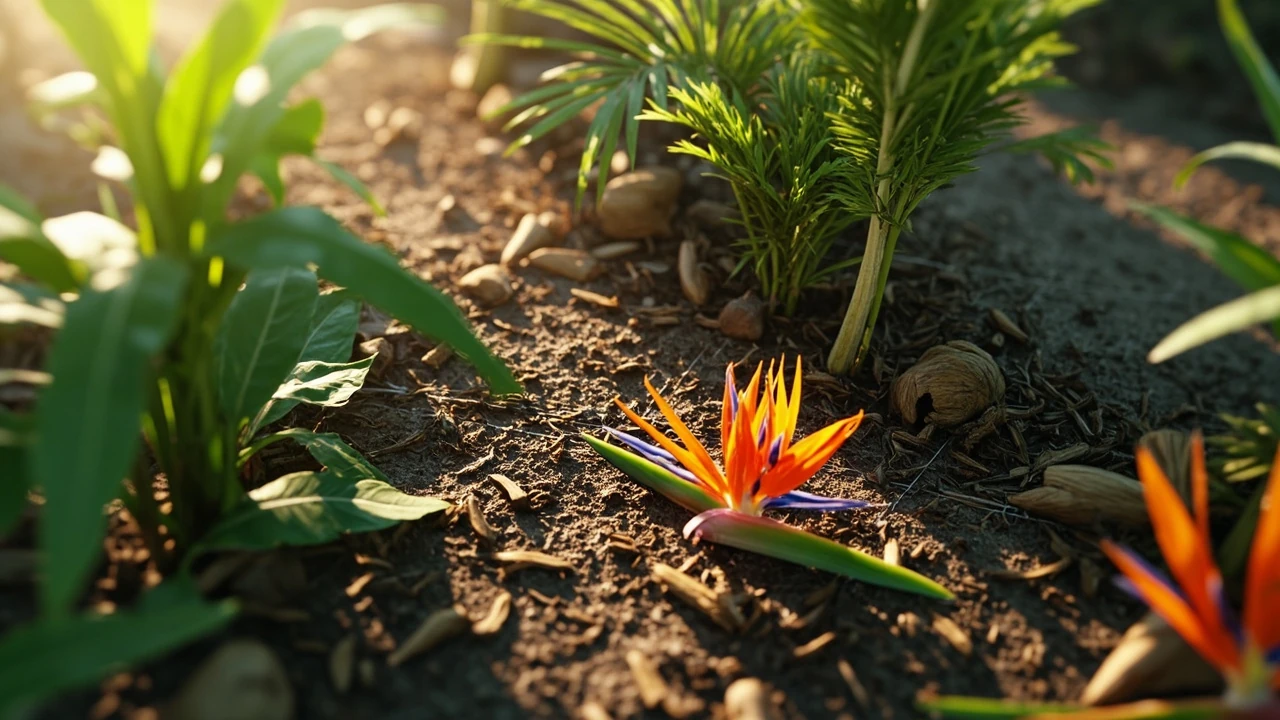
Tropical plants grow a garden: how designers, artists, and Roblox developers can make them feel right
When a Roblox player hears that tropical plants grow a garden faster than the temperate baseline, they immediately want to know three things: which species count as tropical, how the growth multiplier is wired into the game’s data model, and what visual and audio cues a developer should expose so the change is obvious on screen. This guide is written for the people who build and tune that experience: solo Roblox developers working in Luau, technical artists who hand off foliage meshes and texture atlases, game designers balancing crop cycles, and producers who want a realistic estimate of effort before greenlighting a tropical plant pack. It assumes a working knowledge of the Roblox Studio editor, basic client and server scripting, and the standard Roblox data store workflow, and it concentrates on the decisions that actually change player behavior, not on hype about any particular update.
The phrase “tropical plants grow a garden” is doing a lot of work in search queries. Players use it to describe a category of seeds, a strategy, and sometimes a sentiment. From a development angle, the same phrase describes a content slice, an asset pipeline, and a tuning opportunity. Treating those three views as one is the most common mistake small Roblox projects make when they add a tropical update: they buy or import a mesh pack, drop the plants into a generation script, and skip the rest. The result is a garden that looks more colorful but plays the same as before, and players notice within a single growth cycle. The goal of this article is to show what to wire up so the tropical update is mechanically distinct, visually coherent, and stable under Roblox’s replication model.
What counts as a tropical plant in Grow a Garden
Before any code or art work, a team needs a working definition of a tropical plant. The game’s existing code already names a category, but the internal label and the player’s mental model rarely line up perfectly. Mapping the gap is the first step, because every later system, from growth math to lighting, inherits whatever definition the design document uses.
A practical working definition for development has three parts: climate band, growth profile, and presentation cues. Climate band is the most stable signal and should be the primary sort key in any data table that indexes plants. Growth profile covers the multiplier, time-to-mature, regrow behavior, and yield. Presentation cues are visual and audio signals that tell the player this is a tropical plant before they read a tooltip. Holding all three layers together prevents the situation where two designers use “tropical” to mean different things in the same data module.
Climate band: where the plant is meant to live
Climate band is a simple label, usually one of temperate, arid, Mediterranean, alpine, or tropical. Tropical plants come from equatorial and near-equatorial regions with stable warm temperatures, high humidity, and significant rainfall. In the game’s data model this is just a string field, but the field drives weather effects, soil moisture, and several cosmetic props. A consistent climate band also helps when the team later adds biome-specific events, because the event system can simply filter on the band rather than enumerate every plant.
Growth profile: how it grows
Growth profile is the part that matters most to players who search for tropical plants grow a garden. In a typical Roblox farming setup, each plant has a base growth duration, a per-stage time-to-advance, a yield amount, a regrow delay, and a list of mutations it can receive. Tropical plants are usually tuned with a shorter base time and a higher yield than the temperate equivalent. The growth profile should be a record in a ModuleScript so that server scripts, client prediction, and analytics can all read the same values without copy-paste drift.
Presentation cues: what the player sees and hears
Presentation cues are the leaf shape, color, fruit type, ambient particle, and ambient sound. Tropical plants tend to have larger, glossier leaves, taller silhouettes, and warmer accent colors than temperate plants. These cues do not change the math, but they change the perceived pacing. A well-tuned tropical plant that the player does not recognize as tropical will still read as “faster but bland” and the multiplier will feel arbitrary. A short checklist of cues per species, reviewed by a technical artist, keeps the update feeling coherent.
Data model: encoding the tropical category in Luau
The cleanest way to model tropical plants is a small ModuleScript that returns a frozen table of plant records. Each record carries identifiers, growth numbers, the climate band, presentation flags, and any mutation rules. The same module should be required by the server, the client, and the analytics pipeline, which prevents one side of the project from drifting out of sync. For a small Roblox project, a single module that exports an array of records is usually enough; for a project that ships frequent updates, splitting the read path and the write path into a separate DataStore handler makes saves and migrations easier.
| Field | Type | Purpose | Tropical example value |
|---|---|---|---|
| id | string | Stable unique key used in DataStores and replication | “banana_small” |
| displayName | string | Player-facing name in tooltip and shop | “Banana Plant” |
| climateBand | string | Used by weather, events, and lighting rules | “tropical” |
| baseGrowTime | number | Seconds from planted to mature at 1x multiplier | 180 |
| tropicalMultiplier | number | Speed factor when climate band matches the plot | 0.65 |
| yieldMin / yieldMax | number | Random range used at harvest | 2 / 5 |
| regrowDelay | number | Seconds after harvest before regrowth starts | 45 |
| mutations | {string} | Whitelisted mutation ids the plant can receive | {“polinated”,”goldleaf”} |
| presentation | {[string]: any} | Mesh id, texture id, ambient sound id, particle id | rbxassetid://Mesh, rbxassetid://Sfx |
The exact numbers depend on the team’s balance pass, but the shape of the record is what matters. Once each plant is a record, a generic growth loop can ask for any plant by id, look up the tropical multiplier if the plot’s climate band matches, and apply it. New tropical species become a one-line addition to the table plus the asset import. Removing or rebalancing a species is a single edit rather than a refactor.
How the tropical multiplier changes growth math
Most Roblox farming games use a per-tick growth model in which the server advances a timer and replicates the current stage to the client. The tropical multiplier sits on top of that timer. A clean implementation reads the plot’s climate band, reads the plant’s climate band, and applies the multiplier when the two match. The simplest formula is effectiveTime = baseGrowTime * tropicalMultiplier, with a clamp so the multiplier cannot drop below a sensible floor even if a future update adds more climate rules. For a project that already supports weather, the same multiplier can be combined with a per-weather factor so that, for instance, a tropical plot during a dry spell grows a little slower than a tropical plot during monsoon.
One important decision is whether the multiplier is applied on the server, the client, or both. The server is the authority and must own the final growth tick, because that is the value stored in the player’s save. The client can mirror the math for prediction and smooth animations, but the server should reconcile any visible drift. A common pattern is to expose a small ClientGrowthView module that takes the same record and returns the same effective time, and to add an assertion or warning if a logged value diverges from the server value by more than a fixed tolerance. That warning is the cheapest way to catch a refactor that broke the multiplier on one side.
Asset pipeline: meshes, textures, and ambient sound
Tropical plants are visually demanding. The leaves are large, the silhouettes are tall, and the colors are saturated. That makes them a good stress test of the asset pipeline, because any inefficiency in mesh count, texture streaming, or lighting setup becomes obvious on a crowded plot. The right pipeline keeps the cost manageable without flattening the look.
Mesh strategy
Each plant should be a single mesh part or a small rig of parts, not dozens of small parts. For banana plants, a low-poly trunk plus a few hand-shaped leaf planes with a double-sided material is usually enough. For coconut palms, a tapered cylinder plus six to eight frond planes with a billboarded material is enough. A reasonable upper bound is one MeshPart per visible plant plus a small cluster of accessories for fruits and flowers. Going past that wastes geometry and complicates selection in Studio. If a project needs more detail, the right answer is usually a higher-resolution mesh and a smaller draw distance, not more parts.
Texture and material setup
A shared tropical leaf material is the simplest way to keep the art consistent. The material should have a normal map for leaf veins, a low-gloss surface with a slight clearcoat look, and a warm tint. The same atlas can host several leaf shapes if the project plans to ship more tropical species later. Avoid unique textures per plant unless a special feature really needs it, because every new texture adds streaming pressure on low-end devices and increases Studio load time.
Ambient sound and particles
Tropical plants grow a garden more believably when there is a faint hum of insects and the rustle of broad leaves. A single looping ambient sound attached to the climate band rather than to each plant is the lightest approach. Particles should be sparse: a few drifting pollen specks and a slow shimmer near fruit. Heavy particles tank frame rate on crowded plots, and the player will mute the effect rather than appreciate it.
Studio workflow: laying out a tropical plot
Studio layout is where the technical decisions become visible. A tropical plot is taller and denser than a temperate plot, so the grid size, camera angle, and lighting all need a second pass. A small list of layout checks keeps the iteration tight:
- Keep the grid step at the same value used for temperate plots so plot ownership code does not change.
- Raise the plot’s local Y so taller plants do not clip into the path or the wall behind the plot.
- Place at least one shadow caster per plot, otherwise the tall plants will look flat under Roblox’s default lighting.
- Confirm the camera’s min zoom distance still frames the tallest plant with headroom, or zoom the player out a little.
- Test on mobile with a representative phone, not only on a desktop preview, because tropical leaves often need a hand-tuned Level of Detail pass to stay smooth on small screens.
Layout should be validated in a small test place before the new models are merged into the main game. A quick standalone place with a single tropical plot, a stopwatch, and a comparison temperate plot makes it easy to confirm both the visual feel and the timing of the growth multiplier in a single session.
Server authority, replication, and saving
Replication is the part of a Roblox project that quietly breaks the most after a balance change. The server owns the growth tick and the harvest, the client renders the current stage, and DataStore holds the plot state across sessions. The tropical multiplier should not change that model. The server applies the multiplier when it starts a new growth cycle, stores the effective time in the plot record, and replicates the new target time to the client. The client then animates toward that target using a local clock, which is much smoother than a per-tick server update.
Two common replication bugs are worth flagging. The first is a “ghost fast growth” that happens when the client accidentally applies the multiplier twice, once on prediction and once when the server value arrives. The second is a “freeze on rejoin” that happens when the plot is saved with a remaining time computed on the client. Both are caught by a single discipline: the server is the only writer for growth timing, and the client is a read-only mirror plus an animation interpolation. A small unit test that calls startGrowth(record, plot) with a known clock and checks the resulting target time is enough to lock the contract down.
Balancing the tropical update against the rest of the economy
A balanced tropical update feels generous without breaking the rest of the economy. The risk is that the new plants are so efficient that the older temperate plants become irrelevant, and the game loses the pacing variety that kept long-term players engaged. A few principles help.
- Tie the multiplier to the climate band, not to the plant alone, so a plot that is not in a tropical biome keeps the temperate baseline.
- Use a slightly lower base yield on tropical plants, or a longer regrow delay, so the per-hour output is comparable rather than dominant.
- Limit mutation eligibility so that the rarest mutations still come from temperate plants; tropical plants become a steady source, not a jackpot source.
- Gate the unlock behind a meaningful quest, an in-game currency cost, or a seasonal event, so the tropical tier is an aspirational goal rather than the default starting set.
These choices are not rules. They are guard rails. The team’s economy designer can tune around them based on telemetry from the first live week, but having them in the design document makes the conversation about numbers instead of about feelings.
Player-facing UX: tooltips, shop copy, and progression
Tooltips are the cheapest place to communicate that tropical plants grow a garden faster. A short sentence such as “Grows 35% faster in a tropical plot” is enough to set expectations. The shop copy should be consistent with the tooltip, and the unlock notification should explain what changed so returning players do not feel that the game quietly made their old plants worse. The progression screen is the right place to summarize the new climate band and to point at the plot upgrade that unlocks it. A small “Why is this plant different” section in the help panel, written by the designer who wrote the multiplier, prevents most support tickets.
Performance, profiling, and device targets
Tropical plants are heavier than a single-stemmed temperate plant. A small plot of twelve tropical plants is fine on most hardware, but a large garden with sixty plus plants will start to drop frame time on mid-range mobile. The fixes are familiar but worth restating.
- Reuse a single MeshPart per species, with a per-instance material and color so each plant still feels unique.
- Disable shadows on the smallest accessories, and keep shadows on the main foliage only.
- Cap ambient particle count per plot, and use a single emitter rather than one per plant.
- Use StreamingEnabled so distant plots load in lower detail until the player walks closer.
- Profile on a representative low-end Android device, not only on the dev machine, and capture a frame time histogram under a real test place.
If the frame time still spikes on a crowded plot, the right next step is a Level of Detail pass that swaps the high-resolution mesh for a simpler one beyond a configurable distance. Avoid the temptation to simply cut the leaf count in the source art, because the silhouette is what makes a tropical plant read as tropical in the first place.
Testing the tropical growth loop
The growth loop is a good candidate for an automated test, because the math is simple and the inputs are easy to script. A useful test bench covers four cases: a tropical plant in a tropical plot, a tropical plant in a temperate plot, a temperate plant in a tropical plot, and a tropical plant during a custom weather event. The bench can be a Roblox CommandBar script that calls the growth module with a fake clock and asserts the effective time. It does not replace a real playtest, but it does catch the most common regression where the multiplier stops being applied after a refactor.
| Case | Plant climate band | Plot climate band | Weather | Expected effective time (s) |
|---|---|---|---|---|
| Baseline tropical | tropical | tropical | clear | base * 0.65 |
| Tropical in wrong biome | tropical | temperate | clear | base * 1.00 |
| Temperate in tropical | temperate | tropical | clear | base * 1.00 |
| Tropical in drought | tropical | tropical | drought | base * 0.65 * 1.20 |
| Tropical in monsoon | tropical | tropical | monsoon | base * 0.65 * 0.90 |
Once the bench is in place, the same script can be reused after any future climate change to confirm that the multiplier still applies. A short test, run before every merge, is far cheaper than a player report about “the bananas suddenly grow slow”.
Common failure modes and how to spot them
A tropical update tends to fail in recognizable ways. Listing them up front saves a lot of time during the post-launch patch cycle.
- Multiplier applied on the client only, so the visible growth is fast but the saved growth is normal, and the player loses progress on rejoin.
- Climate band stored as a free-text field with typos like “Tropical” and “tropical” that never match, silently disabling the multiplier.
- Mutations added to every plant when the whitelist was widened, flooding the economy with rare items.
- Mesh import that does not respect the project’s scale, producing banana plants the size of houses.
- Ambient sound that loops on every plant instead of once per climate band, blowing the audio voice budget.
Each of these is easy to catch in a checklist, and almost impossible to find by reading the final code. The fix is to write the checklist at the start of the update and treat it as part of the definition of done.
Outsourcing, collaboration, and handoff
Solo Roblox developers can build a small tropical update themselves, but a larger pack with several species, custom meshes, and balanced numbers is a good candidate for a small team. The handoff still has to be clear, because the same models will be touched by an artist, a designer, a scripter, and a tester. A short handoff document per species, with the record from the data module and a screenshot of the intended result, removes most of the guesswork. Teams that want outside help often look for a partner that can deliver both the art and the data wiring rather than just the meshes, so the multiplier is correct from the first playable build. For studios exploring that path, our game development services overview describes how a small scope can be scoped and delivered without losing the design intent.
If a studio’s bottleneck is the production pipeline rather than the art, a more general game outsourcing guide walks through how to decide what to keep in-house and what to send out, and how to keep ownership of the data model even when the asset work is external. Either route works, but the data model has to stay on the studio side, because it is the contract that every other piece of work depends on.
When to ship a tropical update
The right time to ship a tropical update is when the team already has a stable growth loop, a working DataStore, and a player base that has asked for more variety. Shipping the update too early, before the data model is stable, means redoing the wiring later. Shipping it too late, after the temperate plants have begun to feel repetitive, means losing the players who were ready for a change. A useful internal rule is to ship the update when the existing temperate catalog is at least seventy percent complete and at least one biome-specific event is already in production. That signal keeps the tropical update from being a side project and turns it into the next layer of the live game.
From a content calendar point of view, a tropical update also pairs well with a seasonal event, because the new climate band can be introduced as a limited map before it becomes a permanent biome. That approach lets the team test balance, art, and progression on a small audience before committing to a permanent change. The downside is a longer calendar, because the seasonal version has to be retired cleanly before the permanent version goes live.
Frequently asked questions
Do tropical plants grow a garden faster than temperate plants in Grow a Garden?
In a typical implementation, yes. A tropical plant placed in a tropical plot uses a multiplier below one, so the effective growth time is shorter than the temperate baseline. The exact multiplier is a balance decision, and most teams sit between 0.6 and 0.8. The multiplier only applies when the plot’s climate band matches the plant’s climate band, which is what makes the biome meaningful rather than a cosmetic label.
What data fields are needed to model a tropical plant in Luau?
At minimum, the record needs an id, a display name, a climate band, a base grow time, a tropical multiplier, a yield range, a regrow delay, a list of allowed mutations, and a presentation block with the mesh, texture, sound, and particle references. Storing those fields in a single ModuleScript keeps the server, the client, and the analytics code reading the same values.
Should the tropical multiplier live on the server or the client?
The server is the authority and must own the final growth time, because the value is part of the saved plot state. The client can mirror the math for prediction and smooth animations, but it should never be the only place the multiplier is applied. A small shared module on both sides, with a unit test that catches drift, is the cleanest way to keep them aligned.
How many tropical species should the first update include?
Most small Roblox projects ship between three and six tropical species in the first pass. That range is enough to make the new biome feel distinct without overwhelming the art pipeline or the data model. After the first season, telemetry on which species the players actually plant will guide the second pass.
What is the most common bug after a tropical update?
The two most common bugs are a multiplier that is applied on the client only, which causes progress to desync on rejoin, and a free-text climate band that ends up with two different spellings and never matches, which silently disables the multiplier. Both are caught by a small growth test bench and a strict typing rule on the climate field.
How do tropical plants affect frame rate on mobile?
Tropical plants are heavier than simple temperate plants, and a crowded plot will start to drop frame time on mid-range Android. Reusing one mesh per species, disabling shadows on small accessories, capping ambient particles, and turning on StreamingEnabled are the four biggest wins. A Level of Detail pass that swaps the high-resolution mesh for a simpler one beyond a configurable distance is the next step if those do not bring the frame time back to budget.
Can the tropical multiplier be combined with weather effects?
Yes, and it usually should be. The simplest approach is to multiply the base time by the tropical multiplier and then by a per-weather factor, with a clamp on the final value. A drought can slow tropical growth slightly, and a monsoon can speed it up a little. The exact factors are a balance decision, but keeping the math composable makes the economy easier to reason about later.
Is Grow a Garden the same game as the Roblox title covered in news articles?
Grow a Garden is a popular Roblox farming game that became one of the platform’s most-played titles in 2025, and the broader context of the game and its creator is covered in a feature on a teen-developed Roblox garden game, which provides useful background for this point. The data model and asset pipeline described in this article are general patterns that fit that kind of project, even though the exact implementation details are owned by the game’s developers.
Where can a developer read more about the game’s design in general terms?
For background on the title, the genre, and how it fits into Roblox’s catalog, the Grow a Garden Wikipedia entry is a good starting point. The page is a general reference, not a development guide, so it pairs better with the technical content of this article than it replaces it.
What is the safest way to retire a seasonal tropical map and add a permanent one?
The safest pattern is to keep the data model stable, gate the new biome behind a flag, and run both the seasonal and the permanent map in parallel for one or two weeks. After the parallel window, the seasonal map is disabled for new players, and a migration pass moves existing plots to the permanent biome. Because the data model is the same, the migration is mostly a field change rather than a rewrite.





Leave a Reply