
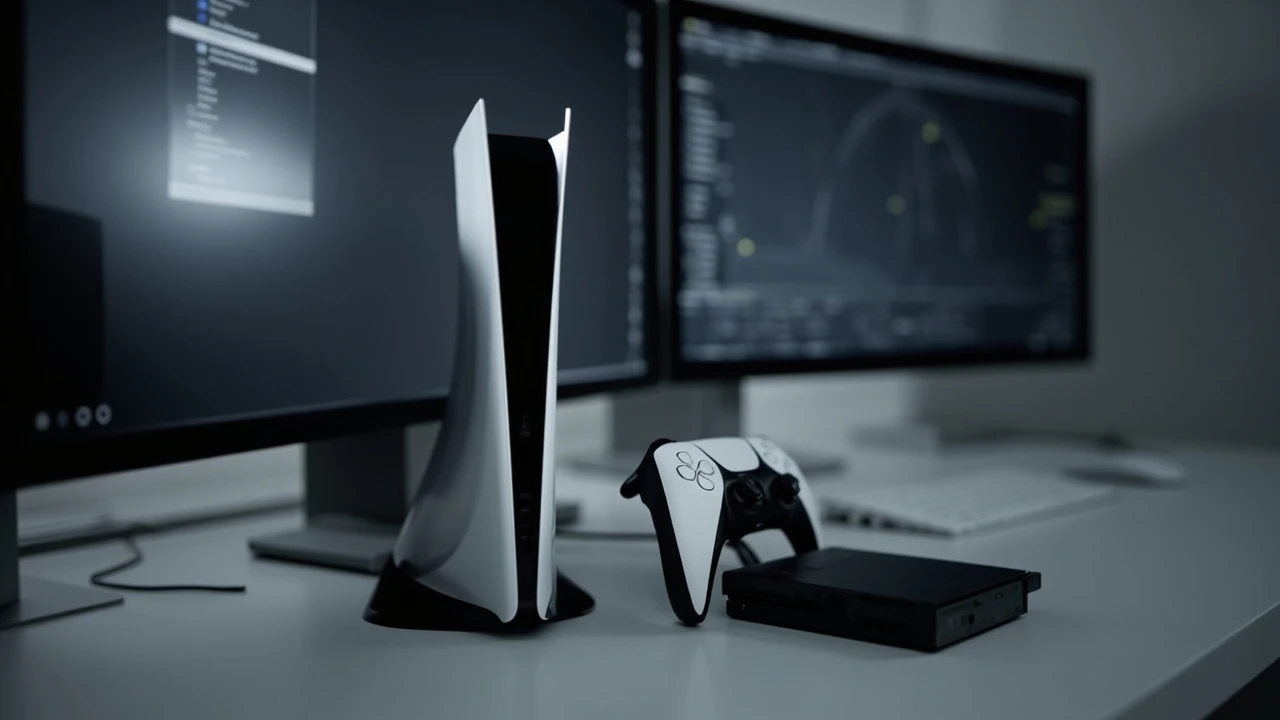
PS5 Slim as a development target: what actually changed
The PS5 Slim is not a new generation. It is a mid-cycle hardware revision of the same PlayStation 5 family, and the chip inside is architecturally identical to the launch console. For game developers, that distinction is the most important fact in the entire product: you are not targeting a new platform, you are targeting the same platform with a different chassis, a small thermal envelope change, and a slightly larger SSD. Any codebase that already runs on a launch PS5 is expected to run on a PS5 Slim without code changes, and the same SDK, toolchain, and submission process still apply.
What did change is the developer-facing surface area in three places: storage capacity went from 825 GB usable to roughly 1 TB usable, the optional Ultra HD Blu-ray disc drive is now a separate accessory rather than a built-in component on the digital model, and the physical case uses a four-panel design that some third-party accessory makers now target with snap-on covers. None of these changes require a new engine branch, but they each have small knock-on effects that production teams should understand before they treat the new SKU as a free win.
This article walks through what the PS5 Slim actually is from a technical and production perspective, how it compares to the original PS5 for development, what it means for porting and certification, where the marketing story diverges from the engineering reality, and how a studio should think about it during asset budgeting, QA, and live operations planning. It is written for developers, technical artists, producers, and QA leads who already work on PlayStation 5 and want a clear, no-hype read on the revised hardware.
Hardware identity: same silicon, smaller box
From a game development standpoint, the most important sentence in any PS5 Slim briefing is that the APU is the same custom AMD chip used in the launch console. That means the CPU cores, the RDNA 2 GPU configuration, the GDDR6 memory pool, the audio pipeline, and the proprietary SSD controller all match the original hardware target. Any performance budgets, frame-time targets, memory ceilings, and platform-specific code paths established for the original PS5 are still valid here.
The case is the headline change. Sony reduced the volume of the enclosure, split the shell into four interchangeable panels rather than two, and moved from a built-in or absent disc drive to an optional external Ultra HD Blu-ray drive that attaches through a dedicated port on the back of the console. The internal cooling solution is also revised, which is the one area where developers sometimes see a small behavior change in sustained thermal load, though the published console specifications list the same CPU and GPU performance.
Storage is the other concrete change. The slim model ships with a 1 TB SSD rather than the launch console’s 825 GB drive, which translates into roughly 175 to 200 GB of additional usable space after the system partition. For asset-heavy titles, downloadable content, and patches, that extra room can simplify the storage budget, but it does not change any engine-side streaming logic.
Spec comparison that matters for production
Specs on paper rarely tell a developer what they need to know. The table below isolates the entries that change between the original PS5, the PS5 Slim with disc drive, and the PS5 Slim Digital Edition, and it ignores marketing copy. Everything else, including CPU, GPU, memory bandwidth, audio, and networking, is shared across the family and is therefore not repeated.
| Attribute | Original PS5 (disc) | Original PS5 Digital | PS5 Slim (with drive) | PS5 Slim Digital Edition |
|---|---|---|---|---|
| APU | Custom AMD Zen 2 + RDNA 2 | Custom AMD Zen 2 + RDNA 2 | Custom AMD Zen 2 + RDNA 2 | Custom AMD Zen 2 + RDNA 2 |
| Memory | 16 GB GDDR6 | 16 GB GDDR6 | 16 GB GDDR6 | 16 GB GDDR6 |
| SSD (usable) | ~667 GB on 825 GB drive | ~667 GB on 825 GB drive | ~1 TB usable on 1 TB drive | ~1 TB usable on 1 TB drive |
| Optical drive | Built-in Ultra HD Blu-ray | None | Detachable Ultra HD Blu-ray accessory | None, drive sold separately |
| Case panels | Two main shells | Two main shells | Four interchangeable panels | Four interchangeable panels |
| Vertical stand | Included screw-in stand | Included screw-in stand | Two small feet, horizontal only by default | Two small feet, horizontal only by default |
| Target audience for dev work | Existing baseline SKU | Same as disc, except disc features | Same as original, plus storage headroom | Same as original digital, plus storage |
The rows you do not see in the table are intentional. The CPU clock profile, GPU TFLOPS, audio hardware, Tempest 3D AudioTech pipeline, controller APIs, and HDR behavior are the same across every PS5 SKU. A separate column for each would suggest a difference that does not exist in silicon.
What the extra SSD space actually buys you
The jump from 667 GB of usable space to roughly 1 TB sounds like a 50 percent increase, but in practice it is closer to a 25 to 30 percent increase in the budget a title can safely assume on a clean console. That extra space is more useful than it looks, and the ways it is consumed in real development are worth naming explicitly.
- Larger install footprints. Asset-heavy action games and simulation titles can keep a few extra gigabytes of high-resolution textures, audio banks, or precomputed data on disk without immediately asking the user to manage storage.
- Bigger day-one patch budgets. The slim model gives the patch pipeline more breathing room before the OS warns the user about low free space, which is useful for live service titles that ship with substantial post-launch updates.
- More space for multiple titles. Players with limited patience for deletion cycles benefit from being able to keep two or three large games installed at once, which reduces churn-driven returns.
- No engine changes required. The OS exposes the additional capacity through the same storage APIs, so no streaming logic, no asset manifest, and no compression profile has to be redesigned.
None of this means a developer should target the new size as a hard minimum. The launch console with the 825 GB drive is still in active circulation, and any production budget that assumes more than 667 GB of free space will fail certification on the older hardware. Treat the extra room as a comfort margin, not a license to ship larger mandatory installs.
External disc drive: new SKU behavior for QA and packaging
The most subtle engineering change is the move from a built-in optical drive to an attachable Ultra HD Blu-ray accessory on the slim model. From the user’s perspective, this is a clean, modular design. From a QA perspective, it introduces a new SKU matrix that did not exist before, and the matrix has to be exercised before submission.
| Test scenario | Original PS5 with disc | PS5 Slim Digital + external drive | Development implication |
|---|---|---|---|
| Physical disc install and play | Built-in path | External drive path | Validate install, launch, and eject behavior on both consoles. |
| Disc swap mid-session | Built-in | External drive, with reattach and remount logic | Confirm state recovery and save-data persistence across swaps. |
| Drive not attached at boot | N/A | Console boots digital only | Verify graceful digital-only boot with valid entitlements. |
| Drive attached but disc missing | N/A | Console prompts for disc on disc-required titles | Confirm error copy, recovery path, and storefront behavior. |
| Box contents messaging | Drive always included on disc SKU | Drive sold separately | Update on-box, in-OS, and first-run copy to match actual contents. |
For most titles this is a one- or two-day addition to the QA matrix. For games that lean heavily on physical media for launch-day content, regional SKUs, or bundled extras, the matrix is worth blocking in the test plan explicitly. Sony’s certification expectations around physical-media behavior did not change, but the configuration the player brings to your title is now a variable rather than a constant.
Thermal envelope, noise, and the “slimmer cooler” rumor
Whenever a console shrinks, the conversation turns to whether the smaller cooling solution affects sustained performance. Sony does not publish a separate thermal design power figure for the PS5 Slim, and the APU is the same silicon, so the published console specifications list the same CPU and GPU performance as the launch model. In practice, the slim model uses a revised internal heatsink and fan curve, and the small differences in fan ramp behavior can be observed in long capture sessions.
For a developer this matters in two narrow cases. The first is when a title is tuned right at the edge of the original console’s thermal budget, which is rare because most teams leave headroom for elevated ambient temperatures. The second is in QA, where capture farms that previously assumed a constant fan curve may need a quick re-check of in-game audio mixing against ambient microphone levels. Neither case is a reason to retune performance targets.
You should still record a fresh thermal baseline on the new hardware the first time you bring a long-session build into the lab. Treat it as part of the standard hardware refresh, not as a special investigation.
Developer toolchain: no new SDK expected
Because the silicon is unchanged, the PS5 Slim does not arrive with a new SDK, a new engine integration, or a new minimum system software version. The existing PlayStation 5 SDK continues to be the development target, and any project that has already passed TRC (Technical Requirements Checklist) on the original hardware should pass on the new hardware with the same build, provided the optional disc drive behaves as expected when the title is sold as a physical release.
The few places where tooling does touch the new SKU are predictable:
- Asset pipelines. If you generated per-SKU manifests for previous console revisions, the new SKU is another target with the same APU and a larger drive. The manifest entry can be cloned, the storage size updated, and nothing else changes.
- Save data and entitlements. Save data is portable across the family, and entitlement checks for digital purchases do not depend on the SKU. Titles that gate features by SKU identity should not need new branches for the slim model.
- Packaging and copy. On-box legal copy, in-OS prompts, and first-run screens may need to mention that the disc drive is sold separately on the digital edition. Treat this as a localization and compliance pass.
- QA matrix updates. Add the new SKU to the hardware coverage list, exercise the disc drive hot-swap path if your title is sold physically, and confirm the build runs as expected on the new fan curve.
If you maintain a single per-platform build pipeline, the slim model is another row in the test matrix rather than another branch in the version control graph.
Asset budgeting on the slim storage tier
Storage budget discussions on PlayStation usually start with the question “how much can we assume is free on a clean console?” The answer depends on which console you are talking about, and that is now a per-SKU calculation.
| Console | Drive capacity | OS reservation | Approx. usable space | Production implication |
|---|---|---|---|---|
| Original PS5 (all SKUs) | 825 GB | ~158 GB | ~667 GB | Treat as the lower bound for mandatory install. |
| PS5 Slim with disc | 1 TB | ~165 GB | ~835 GB | Comfortable headroom for launch + day-one patch. |
| PS5 Slim Digital Edition | 1 TB | ~165 GB | ~835 GB | Same as above; no optical contents to reserve. |
The right way to think about it is that the new SKU raises the realistic ceiling while the original SKU still defines the floor. Any production plan that targets more than 667 GB of mandatory install will exclude a meaningful slice of the installed base, and that slice is not going away just because the slim model exists.
Player-facing differences that show up in support tickets
Some changes affect players in ways that eventually show up in support tickets, and a developer or producer who knows the difference in advance can write better first-line guidance. The four-panel case and the feet-only stand are the most common sources of confusion.
- Vertical stand is no longer in the box. The slim model ships with two small feet for horizontal placement. A vertical stand is sold separately. If your title displays in-box setup imagery, that imagery should match the actual contents on the slim SKUs.
- Disc drive is a separate purchase on the digital edition. Players sometimes buy the digital edition expecting a disc slot. The accessory can be added later, but the experience out of the box is digital-only.
- Snap-on panels are model-specific. Third-party faceplates and console covers designed for the launch model do not fit the slim chassis. If your merchandise or collector’s-edition partner is producing cosmetic accessories, the spec sheet has to be updated.
- Packaging copy on the digital edition. In-OS messaging, on-box text, and storefront blurbs should reflect that physical media is optional, not absent forever.
These are the kind of details that rarely break a build but routinely show up in player reviews when they are not handled carefully.
Live operations, patches, and storage churn
Live service titles and games with a long post-launch patch cadence benefit from a slightly larger drive, but the operational question is not “how big can the patch be?” It is “how long does a player keep the title installed before they have to delete something to make room?”
For a single-player title with a 50 GB install, the difference between 667 GB and 835 GB of usable space rarely changes the player’s delete decision. For a service title with a 100 GB base install and a regular 10 to 20 GB seasonal content drop, the extra 170 GB can keep a player subscribed and active for another patch cycle. That is a real retention variable, and it is one of the few places where the PS5 Slim directly benefits the publisher as well as the player.
Operations teams should track two numbers on a per-SKU basis: the percentage of players who hit a “low storage” prompt within the first 30 days of install, and the median installed size of a title when the player also has the previous season’s content. If the slim SKU shows a meaningful drop in both, the operational upside is real.
Certifications and submission expectations
TRC is a platform-wide document, and it does not change because a new SKU joins the family. The slim model is expected to pass the same TRC checks as the launch console, with the small exception of any check that explicitly tests the integrated disc drive, which becomes an accessory test on the digital edition. Sony’s submission portal will show the new SKU as an additional target rather than a new platform, which means the cost and timeline of certification for an existing title are essentially unchanged.
If you are porting a PC or last-gen build to PlayStation 5 for the first time, the slim model does not add any new requirements. The certification effort is driven by the platform family, not the chassis revision. Treat the slim SKU as a free addition to your hardware coverage, and budget only for the QA matrix addition described above.
Where the marketing story outruns the engineering
Public coverage of the PS5 Slim has occasionally implied that the new model is more powerful, runs cooler, or supports new features that the launch console does not. For development planning, these claims should be discounted until they appear in the platform’s official documentation. The slim model is a hardware revision, and the engineering case is straightforward: same silicon, smaller box, larger drive, optional external disc drive.
Two statements that show up in the marketing copy are worth handling with care:
- “Enhanced specs.” Outside of the larger SSD, no new specification is published for the slim model. Treat any unconfirmed spec improvement as a rumor, not a development target.
- “New generation of gaming.” The PS5 Slim is part of the same generation. A new generation implies a new SDK, new certification, and a new code branch, none of which apply here.
Both points matter because a development team that plans around an unconfirmed capability will eventually have to cut the feature back to the real hardware baseline. The cost of that late cut is much higher than the cost of waiting for an official SDK update.
What to confirm in the platform holder’s documentation
Before you commit a production plan to a new SKU behavior, the right place to look is the official platform documentation, not third-party coverage. The two facts that the slim model changes in a way that touches development are the storage capacity and the external disc drive, and both are documented in the platform’s official specification and developer guidance pages. If a claim about the slim model does not appear in those documents, the claim is not part of the contract you are building against.
For a deeper look at how a console revision is positioned in the wider market and how accessory makers are reacting to the new design, a useful perspective is the [PS5 Slim console guide from AimControllers](https://us.aimcontrollers.com/blog/ps5-slim-console-your-ultimate-guide/?srsltid=AU7gw4VbW5Y5Uzp9q5VQbS6XkLshiwx82WzOSIjb2Ozd5s_ghn9JksbN), which walks through the same chassis, drive, and accessory trade-offs a developer needs to know. For historical context on the PlayStation 5 hardware family, the [PlayStation 5 entry in the encyclopedia](https://en.wikipedia.org/wiki/PlayStation_5) tracks the launch console, the digital edition, the slim revision, and the Pro revision as a single platform family, which is the most accurate way to read the family tree for certification and QA planning.
Practical checklist before treating the slim SKU as shipping
For a team that is about to publish a build on the new SKU, the smallest useful checklist is short and focused.
- Add the slim model to the QA hardware coverage list and confirm one full regression pass on the new chassis.
- If the title ships physically, exercise the disc drive on the slim model with the external accessory in place, including hot-swap and missing-disc states.
- Update on-box, in-OS, and storefront copy to reflect that the vertical stand and the disc drive are sold separately on the slim SKUs.
- Record a thermal baseline on the slim model during a long capture session and compare it with the launch console baseline.
- Track storage prompt and uninstall rates on the new SKU for the first 30 days post-launch to confirm the operational benefit of the larger drive.
Each of these items is small. Together, they are the difference between a build that ships cleanly on the new SKU and a build that the QA team has to chase for two weeks after launch.
Frequently asked questions
Is the PS5 Slim a new generation or a mid-cycle revision?
The PS5 Slim is a mid-cycle revision of the existing PlayStation 5 family. The APU, memory, audio pipeline, and software stack are the same as the launch console, and the SDK is unchanged. Developers target the same platform with the same toolchain.
Do I need a new SDK or engine branch for the PS5 Slim?
No. The existing PlayStation 5 SDK remains the development target. The slim model is a new SKU within the same platform family, not a new platform, and it does not require a new engine branch or a new minimum system software version.
How much usable storage does the PS5 Slim have?
The slim model ships with a 1 TB SSD, which leaves roughly 835 GB usable after the system partition. The original PS5 ships with an 825 GB SSD and roughly 667 GB usable. The slim SKU raises the realistic storage ceiling without changing the engine-side storage API.
Can the digital edition of the PS5 Slim play physical discs?
Not out of the box. The slim digital edition has no integrated disc drive. Sony sells an attachable Ultra HD Blu-ray disc drive as a separate accessory that connects through a dedicated port on the back of the console, and adding that accessory enables physical disc playback.
Does the disc drive work the same as the original console’s built-in drive?
From a software perspective, yes. The drive uses the same disc APIs and the same entitlement checks. From a QA perspective, the drive is now an accessory rather than an integrated component, so the test matrix should include the drive not attached, the drive attached with no disc, and a mid-session disc swap.
Will the PS5 Slim affect my performance budget?
No. The published console specifications list the same CPU and GPU performance as the launch model. The slim model uses a revised cooling solution, which can produce a slightly different fan curve under sustained load, but the performance targets and frame-time budgets you already tuned for the launch console are still valid.
Do save data and entitlements transfer between the original PS5 and the PS5 Slim?
Yes. Save data and digital entitlements are portable across the entire PlayStation 5 family. A player can move a save from an original PS5 to a slim model without losing progress, and any digital purchases remain available on the new console under the same account.
Does the PS5 Slim change the certification process?
No. The slim SKU is added to the existing PlayStation 5 certification process as an additional target. The TRC and submission flow are unchanged. A title that already passed certification on the original hardware will pass on the new SKU with the same build, with the small addition of a disc drive behavior test if the title is sold physically.
Is the vertical stand included with the PS5 Slim?
No. The slim model ships with two small feet for horizontal placement only. A vertical stand is sold separately. If your packaging, in-OS prompts, or first-run screens show a vertical stand, that imagery should be updated to reflect the new box contents.
Should I treat the extra storage as a license to ship larger mandatory installs?
No. The original PS5 with the 825 GB drive is still in active circulation, and any mandatory install that exceeds the older console’s usable space will exclude a meaningful slice of the installed base. The extra space on the slim model is a comfort margin and a benefit for live operations, not a new minimum for production.





Leave a Reply